OEM and private label guide

How Yanxun Display Customizes OEM Gaming Monitors and LCD Monitors

A monitor sold under your brand is more than a logo on an existing product. The enclosure, firmware, rating label, packaging, accessories and market-specific power cord must all match one approved specification. This guide explains the available choices, the information we need from buyers and the approval steps used before mass production.

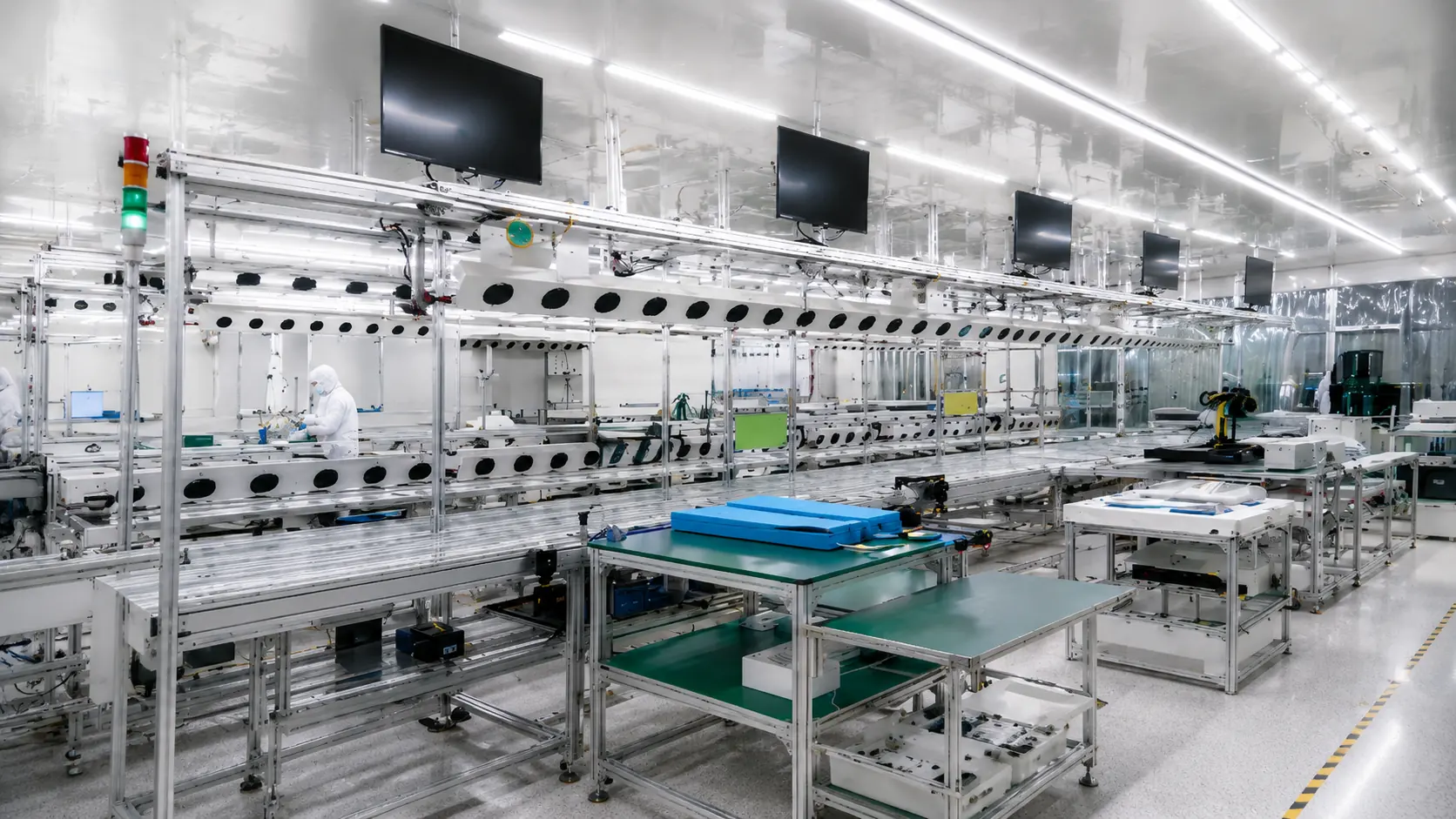
Gaming monitor production line at Yanxun Display factory

Begin with the target market and sales channel

The most efficient OEM monitor project starts with a clear commercial brief. Tell us where the monitor will be sold, who will use it, the planned screen size and performance level, the expected order quantity, the target price range and the required delivery window. A gaming monitor for an online retail brand may need a high-impact color box, multilingual user materials and a distinctive startup screen. A monitor supplied to offices, schools or system integrators may benefit from simpler packaging, a restrained enclosure and easy asset tracking.

These decisions affect more than appearance. They influence the panel and controller-board combination, available ports, power adapter, cable set, firmware, label content, packaging structure and test plan. Confirming them early reduces repeated samples and prevents artwork from being prepared for a configuration that later changes.

We recommend separating the specification into three levels: the technical platform, the brand presentation and the destination-market requirements. Once these three parts are agreed, the quotation and sample can be based on one controlled specification rather than a collection of messages and images.

What can be customized

Customization can be light-touch or comprehensive. Many distributors begin with an established monitor platform and customize the visible brand elements. Larger programs may also select a different panel, controller board, enclosure finish, stand, port combination or accessory set. The practical scope depends on component availability, engineering validation, tooling requirements and order volume.

Product configuration

Screen size, flat or curved format, panel type, resolution, refresh rate, response-time target, brightness class, ports, speakers, stand and VESA mounting.

Brand identity

Front bezel logo, rear-cover logo, startup logo, OSD presentation, product color accents and model naming.

Commercial materials

Rating label, serial-number label, barcode, user manual, warranty card, color box, shipping marks and pallet labels.

Market-specific contents

Power cord and plug, adapter, HDMI or DisplayPort cable, language set and the compliance information required for the destination market.

Not every option requires a new mold. Logo printing, firmware branding, labels, packaging and accessories are usually the most accessible starting points. A new plastic enclosure, stand or mechanical structure requires a separate feasibility review because tooling, validation time and minimum quantities may change substantially.

Logo customization across the product

A consistent private-label monitor normally uses the same approved brand system in three visible locations: the front frame, the startup screen and the rear housing. Each location uses a different production method, so the artwork should be reviewed separately rather than treated as one universal logo file.

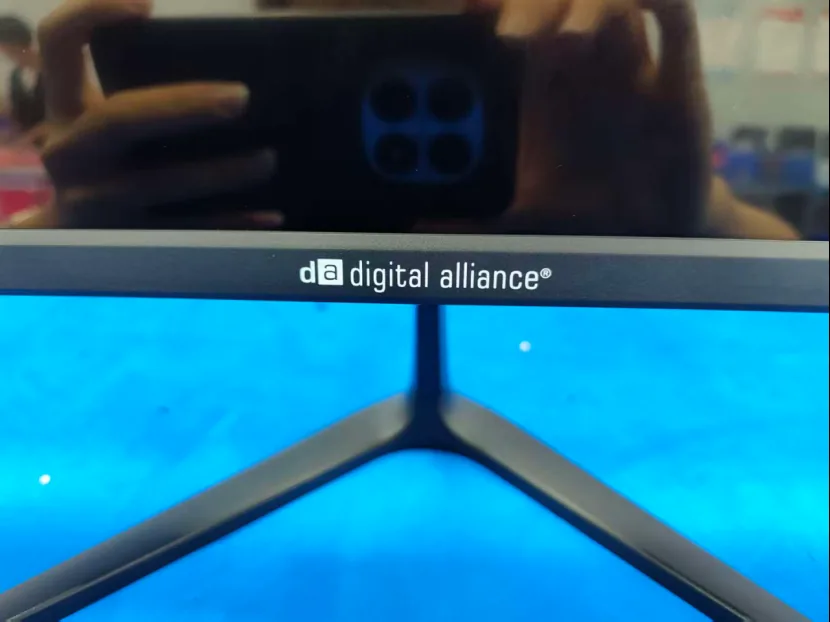
Custom brand logo printed on a monitor front bezel

01

Front bezel logo

The front logo is visible whenever the monitor is used. Size, position, color and contrast should be confirmed on the actual bezel because a mark that looks balanced on a drawing may appear too large on a narrow frame. Printing method depends on the surface material, finish and expected durability.

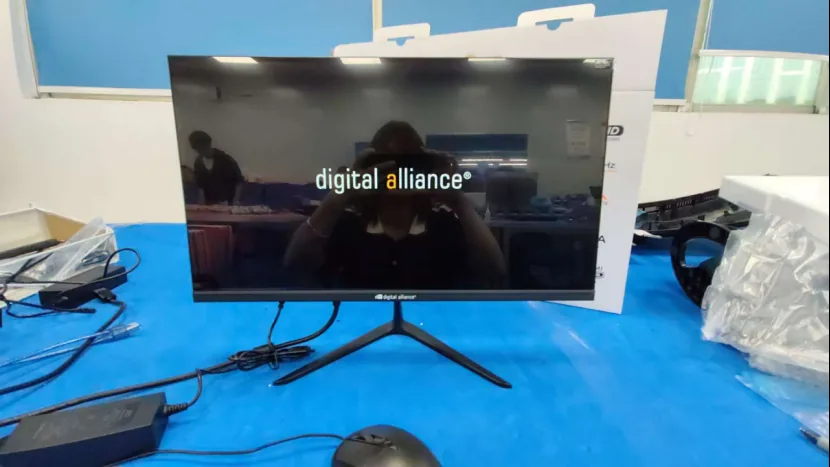
Custom brand logo displayed during monitor startup

02

BIOS and boot-up logo

The startup image is written into the controller-board firmware. The supported dimensions, file format, color depth and display duration depend on the selected board. We check the artwork on a working sample so the logo is centered, correctly scaled and free from unwanted stretching or background artifacts.

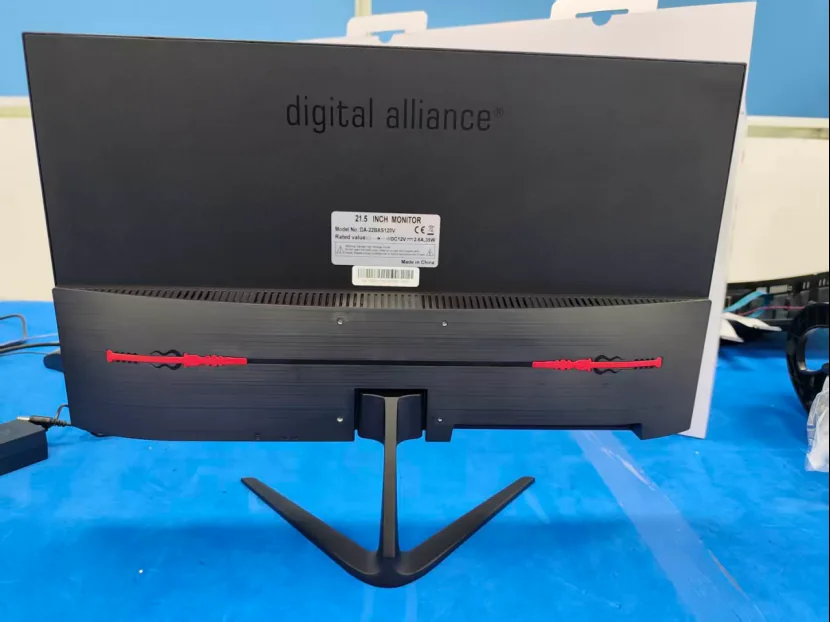
Custom brand logo applied to a monitor rear housing

03

Rear housing logo

The rear logo can be larger than the front mark and may use printing, a badge or another finish compatible with the housing. Its location must avoid vents, screw positions, stand hardware and the rating label. A molded logo is possible only when the mechanical program and tooling justify it.

Artwork to prepare

Provide a vector master file whenever possible, preferably AI, PDF or SVG with fonts converted to outlines. Include the approved brand colors, a monochrome version and clear-space rules. For the startup image, also provide a high-resolution PNG or BMP when requested for the selected controller board. We prepare placement artwork for approval before applying the logo to a sample.

Rating label and serial-number customization

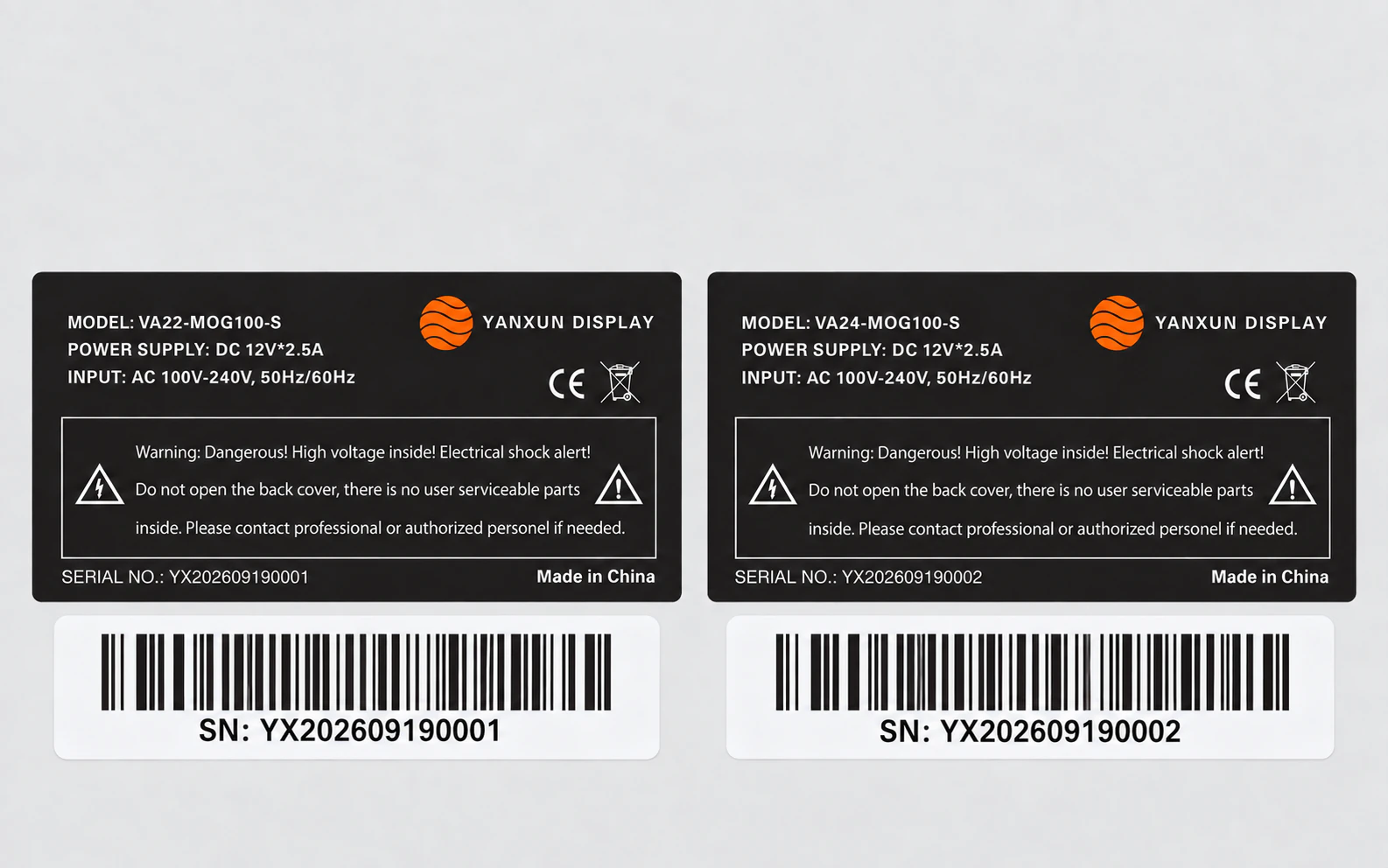
The rear rating label identifies the exact product entering the market. It should not be treated as a decorative sticker. Depending on the project, it may include the product name, model number, rated input, power consumption, polarity, country of origin, manufacturer or importer details, serial number, barcode and applicable symbols.

Model names and electrical values must match the approved product specification. Barcode format, serial-number structure and printing rules should also be fixed before production if the buyer uses warehouse, warranty or after-sales systems.

Compliance marks must only be printed when the corresponding requirements and documentation have been confirmed for the product and destination market. If an existing platform or report is being used, the final model configuration and label wording still require review. The buyer remains responsible for identifying local importer, language and market-access obligations.

  • Product and model name
  • Electrical input and power information
  • Serial number and barcode rules
  • Country of origin and responsible-party details
  • Approved compliance and disposal symbols
Customized monitor rating label with model electrical and barcode information
Example of a monitor rating label and separate serial-number barcode label.

Choose packaging for the way the monitor will be sold
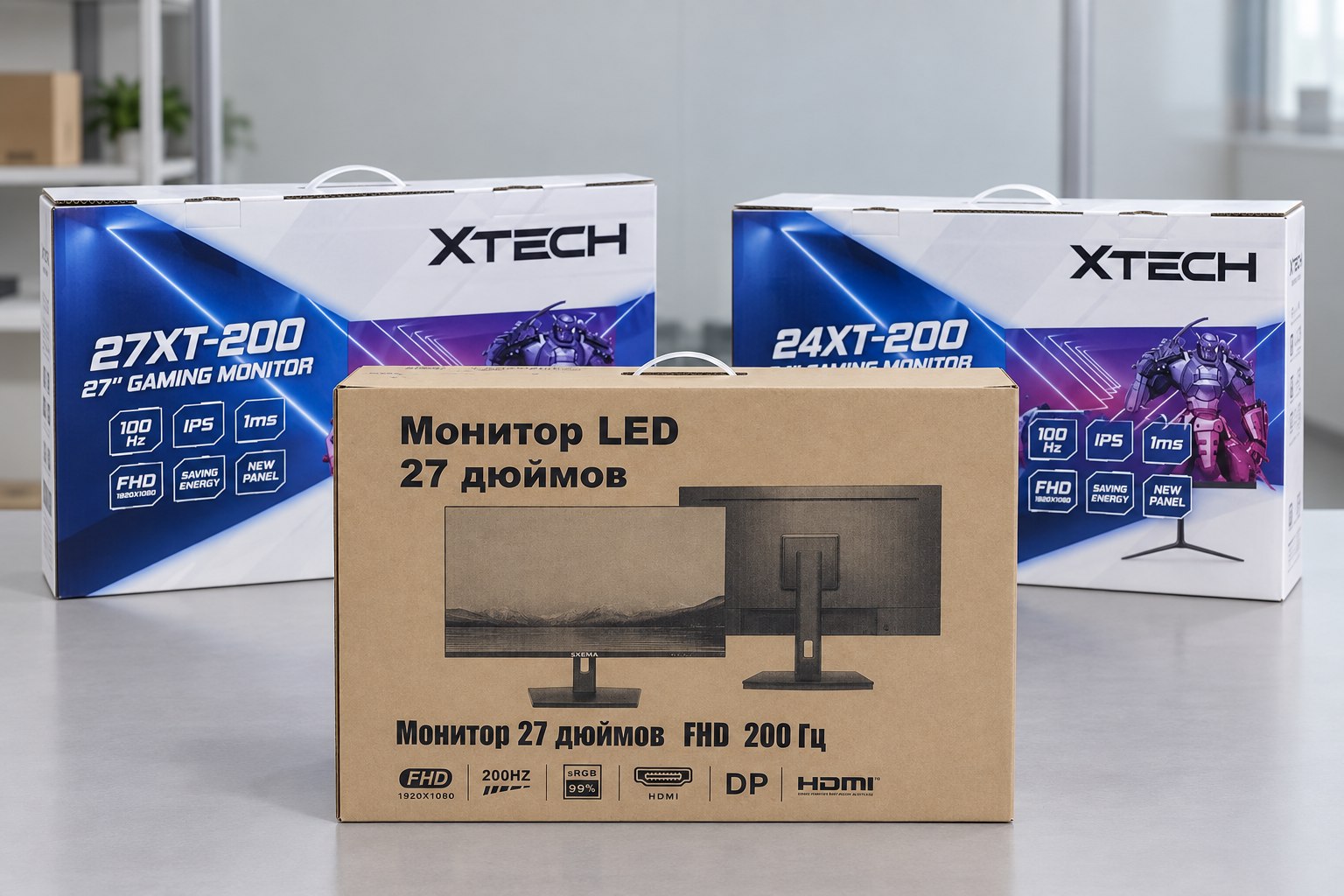
Packaging has two jobs: it must protect the monitor through storage and transport, and it must present the product correctly when it reaches the buyer. The best solution depends on whether the monitor is sold in a retail store, shipped through e-commerce, delivered in bulk to a project site or packed inside a larger system.

Printed color box

A full-color retail box gives more space for brand graphics, product images, specifications, feature icons and multilingual information. It normally costs more because of artwork preparation, printing and finishing, but it supports shelf presentation and a stronger unboxing experience.

Before printing, confirm model name, screen size, resolution, refresh rate, panel description, port icons, included accessories, barcode area, shipping marks and any claims shown on the box.

Plain corrugated carton

A kraft or plain carton is generally the more economical option for distributors, project deliveries and products that do not require retail graphics. Branding and identification can be added with one-color printing, labels or shipping marks while keeping the packaging straightforward.

The lower print cost does not remove the need for proper internal protection. Foam or molded pulp, accessory compartments, panel protection and carton strength must still match the product and shipping method.

Customized retail color box for an OEM monitor
Front-panel artwork can combine brand identity, product images and verified feature information.
Side panel of a customized monitor color box with handling marks and product label
Side panels commonly carry handling symbols, model data, barcodes, carton labels and contact information.

Final packaging approval should cover both graphics and structure. We recommend reviewing a print proof or packaging sample before the full run, then checking carton dimensions, accessory placement, protective materials, closure method and outer shipping marks. Drop, vibration or other transport testing can be agreed according to the product, route and buyer requirement.

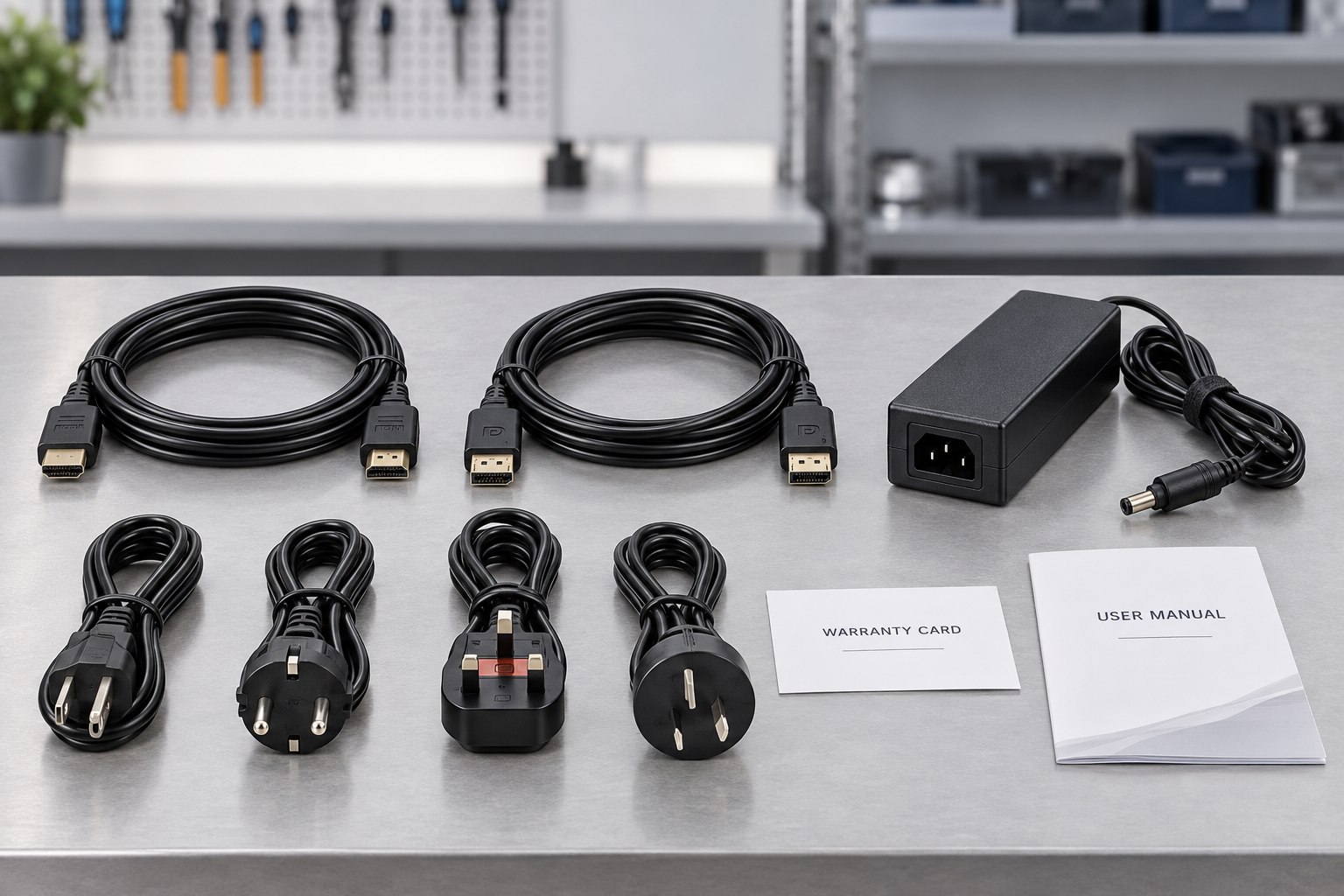
Monitor stand video cable power adapter and regional power cord accessories
A typical accessory set may include the stand, signal cable, adapter, power cord, fasteners and printed materials.

Parts, accessories and the correct power plug

The accessory pack must be defined for the country and sales channel. The power cord is especially important: plug geometry, cable rating, conductor size, safety approvals and labeling vary by market. A product prepared for the European Union may require a different cord from one shipped to the United States, United Kingdom or Australia. The adapter input range and output connector must also match the monitor design.

Never select a power cord only because the plug fits the wall socket. Confirm the destination country, required standard, cable length, rated current and any customer-specific certification or labeling requirement. If the monitor uses an external adapter, the adapter, DC lead and polarity must be approved as one system.

Common accessory choices

  • Regional AC power cord and compliant plug
  • External power adapter or internal power cable
  • HDMI, DisplayPort, USB or other signal cable
  • Stand base, neck, mounting screws and cable-management parts
  • User guide, quick-start sheet and warranty card
  • Optional VESA hardware or application-specific accessories

Every included item should appear in the approved bill of materials and packaging list. This allows incoming inspection, packing inspection and the final carton audit to verify the same agreed set.

Technical and mechanical options

For projects that require more than private-label artwork, we can review the monitor platform itself. The first step is to translate the sales requirement into measurable specifications. For gaming monitors, this may include refresh rate, adaptive-sync behavior, response-time modes, motion-blur controls and gaming features in the OSD. For office or commercial models, priorities may include viewing comfort, port selection, speakers, low-power behavior, mounting or long operating schedules.

Panel and image performance

Panel technology, size, aspect ratio, flat or curved format, native resolution, refresh rate, brightness class, color target and response-time mode are selected as a compatible group, not as independent marketing numbers.

Controller board and interfaces

HDMI, DisplayPort, USB-C, audio output, speakers and other functions depend on the controller board, power design and enclosure openings. Firmware and OSD behavior are validated with the final board and panel.

Housing and stand

Front frame, rear cover, color accents, surface finish, stand base, tilt, height adjustment, swivel, pivot and VESA mounting are reviewed against the chosen mechanical platform. New tooling is quoted separately when an existing structure cannot meet the request.

Firmware and OSD

Boot logo, model name, OSD languages, default picture mode, input behavior and feature menus can be discussed. Available changes depend on the controller-board firmware and must be confirmed on an engineering sample.

Monitor mainboard customization

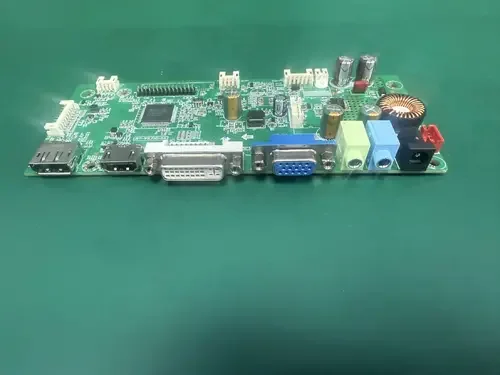
DVI is no longer common on most modern LCD monitors, but legacy computers and project installations can still require it. A customer in Kazakhstan needed a 24-inch monitor for a tender in which DVI compatibility was an essential requirement.

To meet the specification, Yanxun Display customized an LCD monitor mainboard that combined legacy and current connections on one platform. The board supported DVI, HDMI, VGA and DisplayPort video inputs, together with audio output and integrated-speaker support. For the approved 24-inch configuration, the DisplayPort input supported refresh rates up to 165Hz.

  • DVI input for the buyer's installed equipment
  • HDMI, VGA and DisplayPort inputs for wider compatibility
  • Audio output and integrated-speaker support
  • DisplayPort operation up to 165Hz on the specified configuration

This tailored interface combination allowed the customer to satisfy a tender requirement that standard current-generation monitor boards could not easily meet. The customer ultimately won the tender using the customized monitor solution.

Customized 24 inch LCD monitor mainboard with DVI HDMI VGA DisplayPort and audio interfaces
Customized mainboard combining DVI, HDMI, VGA, DisplayPort and audio connections for a 24-inch monitor project.

A controlled OEM monitor customization process

A detailed approval path protects both the buyer and the factory. The exact sequence varies by project, but the following stages keep technical, artwork and commercial decisions aligned.

  1. 1. Requirement review

    Share the destination market, application, target specifications, order quantity, price range, required certifications, packaging style and delivery schedule. Reference models or competitor examples are useful, but measurable requirements are needed for an accurate proposal.

  2. 2. Platform and option proposal

    We match the request to a panel, controller board, enclosure, stand and accessory platform. Options that affect tooling, firmware, certification, minimum quantity or lead time are identified before the quotation is finalized.

  3. 3. Specification and quotation confirmation

    The agreed configuration is written into a controlled specification and bill of materials. The quotation should identify what is included, what remains optional and which assumptions require buyer confirmation.

  4. 4. Artwork and data collection

    The buyer provides logo files, color references, label data, barcode rules, packaging artwork, manual languages and regulatory information. We check dimensions and production suitability before proofing.

  5. 5. Sample build and review

    A sample or pre-production unit is used to verify function, appearance, firmware, logo placement, label content, accessories and packaging. Written approval and a clear correction list are important before mass production.

  6. 6. Production preparation

    Approved documents are released to purchasing, production and quality teams. Critical materials, artwork versions, inspection criteria and packing instructions are matched to the same product revision.

  7. 7. Production and quality inspection

    Units are assembled, programmed, function-tested, visually inspected and packed according to the approved specification. Inspection records and sampling requirements can be agreed for the order.

  8. 8. Shipment and document handover

    Carton marks, packing list, commercial documents and requested quality records are checked before shipment. Serial-number or barcode files can be supplied when included in the project workflow.

Quality checks for a customized monitor

Customization adds approval points that do not exist on an unbranded standard product. Quality control must therefore verify both monitor performance and brand-specific details. The inspection plan should be based on the final configuration and buyer requirements rather than a generic checklist.

Functional checks

Power-on behavior, startup logo, native resolution, refresh-rate operation, input switching, ports, audio, buttons, OSD functions and standby behavior.

Display checks

Panel condition, visible defects, backlight uniformity, basic image performance and any project-specific criteria agreed for the selected panel class.

Appearance checks

Housing finish, gaps, scratches, stand assembly, logo position, printing quality, color consistency, label placement and correct model identification.

Packing checks

Correct accessory set, cable and plug, manual language, protective materials, carton artwork, barcode, shipping mark and carton closure.

If the buyer uses an independent pre-shipment inspection company, the checklist, sampling level and pass/fail criteria should be shared before production. This prevents an inspector from applying requirements that were never included in the approved specification.

Information to send for a faster quotation

A complete first inquiry allows us to focus on suitable platforms and identify any engineering work early. If some details are undecided, mark them as open rather than guessing.

01

Target product: screen size, resolution, refresh rate, panel preference, flat or curved design and intended use.

02

Interfaces and functions: required ports, speakers, USB-C power delivery, stand adjustments, VESA mounting and OSD features.

03

Market: destination countries, language needs, power plug and known certification or importer requirements.

04

Branding: front logo, back logo, startup logo, model naming, housing color and any firmware branding.

05

Packaging: color box or plain carton, sales channel, barcode system, manual, warranty card and shipping marks.

06

Commercial plan: sample quantity, estimated first order, annual forecast, target price range and requested delivery date.

For artwork, send vector logos with outlined fonts, approved color references and any brand guidelines. For labels and cartons, provide editable source files when available. Do not rely only on screenshots, because they may not contain sufficient resolution or accurate dimensions for production.

OEM monitor customization FAQ

What is the minimum order quantity for a customized monitor?

The minimum quantity depends on the monitor platform and the level of customization. Logo printing, firmware branding, labels and packaging usually have a lower entry point than a new enclosure, stand or molded part. Share the expected quantity so we can recommend a realistic route.

Can I start with an existing monitor model and add my brand?

Yes. Using an established platform is often the fastest and most economical path. The front and rear logos, startup screen, rating label, packaging, manuals and accessories can be reviewed as a coordinated private-label package.

Can the boot logo and OSD be customized?

Boot-logo customization is available on compatible controller-board firmware. OSD languages, menu structure, default modes and feature names may also be adjustable, but the available scope must be confirmed for the selected board.

Which logo files should I send?

Send an editable vector master such as AI, PDF or SVG, plus color references and a monochrome version. Convert fonts to outlines. A high-resolution PNG or BMP may also be requested for firmware use.

Is a color box always necessary?

No. A color box is useful for retail presentation but is normally more expensive. A plain corrugated carton with labels or simple printing can be more suitable for project shipments, distributors and cost-sensitive programs. Internal protection must still be designed for the monitor and transport route.

How do I choose the correct power cord?

Identify every destination country and confirm the required plug, electrical rating, cable length, approval marks and labeling. The adapter and DC connection must also match the monitor. We review the accessory specification before the sample and mass-production stages.

How long does a customization project take?

Timing depends on platform availability, artwork readiness, sample revisions, firmware work, tooling, testing and component supply. A logo-and-packaging project is normally simpler than a new mechanical design. We provide a schedule after the specification and customization scope are clear.

Tell us what your market needs

Send your target specification, destination country, quantity, brand files and packaging preference. We will review the request and identify the monitor platform, customization scope and information still needed for a quotation.

Request an OEM Monitor Quote