
When a monitor is described as “250 nits” or “300 nits,” what does that number actually mean? To compare displays fairly, you need to know where brightness was measured and under what settings. As an OEM monitor factory, Yanxun Display uses a hardware color analyzer to check the screen directly and make the result clear for buyers.
How Does a Monitor Produce Light?
Most LCD monitors have an LED backlight. Liquid crystals control how much of that light passes through the panel, while color filters form the image. The light reaching your eyes can vary slightly across the screen. Gaming monitors and office monitors both need a defined measurement point when their brightness is specified.
OLED monitors work differently: their pixels emit light without a separate backlight, as LG Display explains. The same basic rule still applies when comparing specifications: state the test image, settings, and measurement position.
Monitor brightness is measured as luminance in candelas per square meter (cd/m²), commonly called nits. One nit equals one cd/m², as described in Konica Minolta’s guide to light measurement.
How to Test Monitor Brightness With a Konica Minolta CA-310
Konica Minolta builds precision measuring instruments on advanced optical and image-processing technologies used for quality control across multiple industries. Its Display Color Analyzer series has become a de facto industry standard for white-balance measurement and adjustment on display production lines. The CA-310 combines fast readings with strong repeatability for luminance and chromaticity checks, making it well suited to monitor production testing.
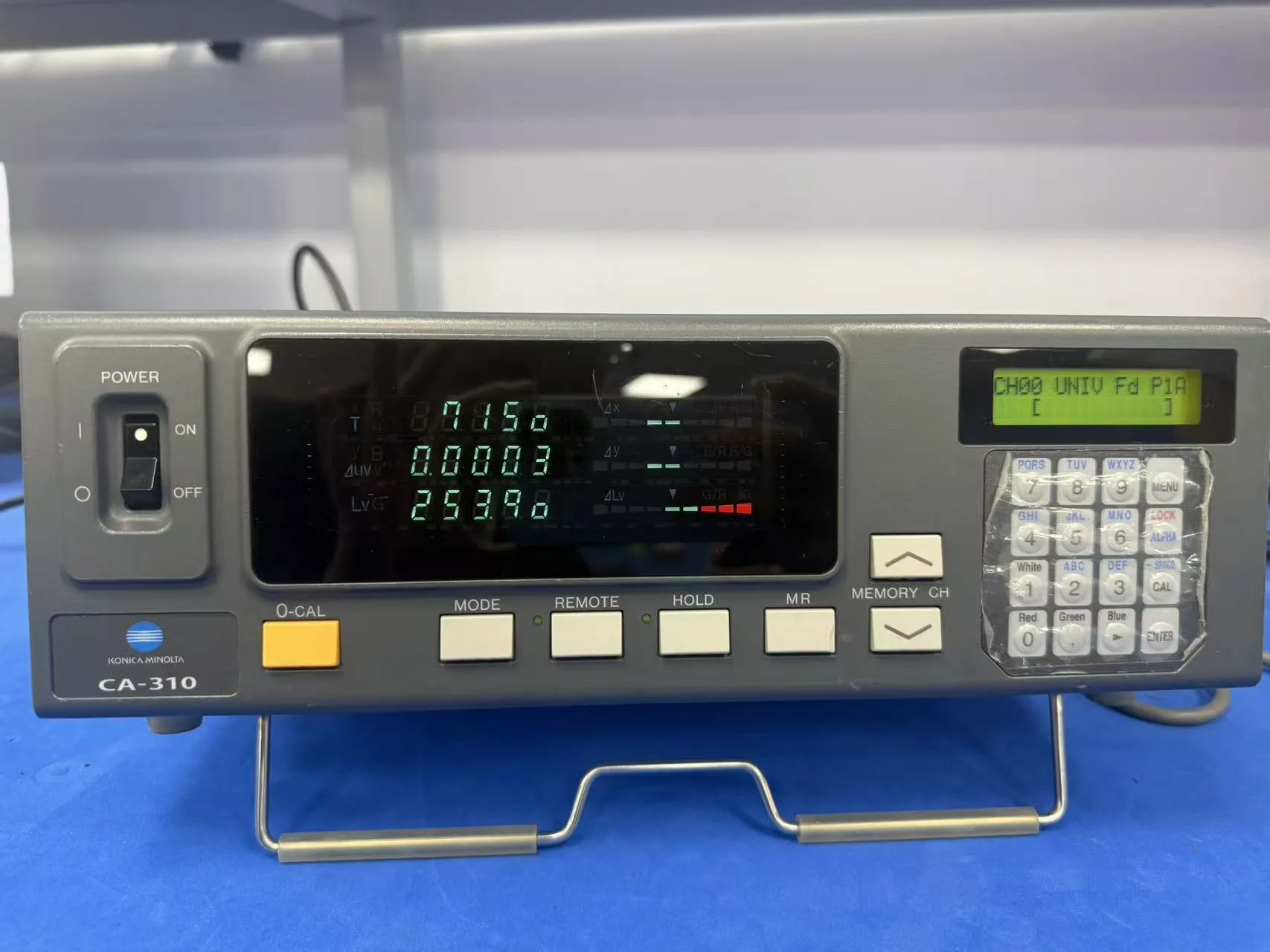
We use a Konica Minolta CA-310 display color analyzer and its measuring probe. The CA-310 manual identifies luminance as Lv and correlated color temperature as T for the same spot on the screen.
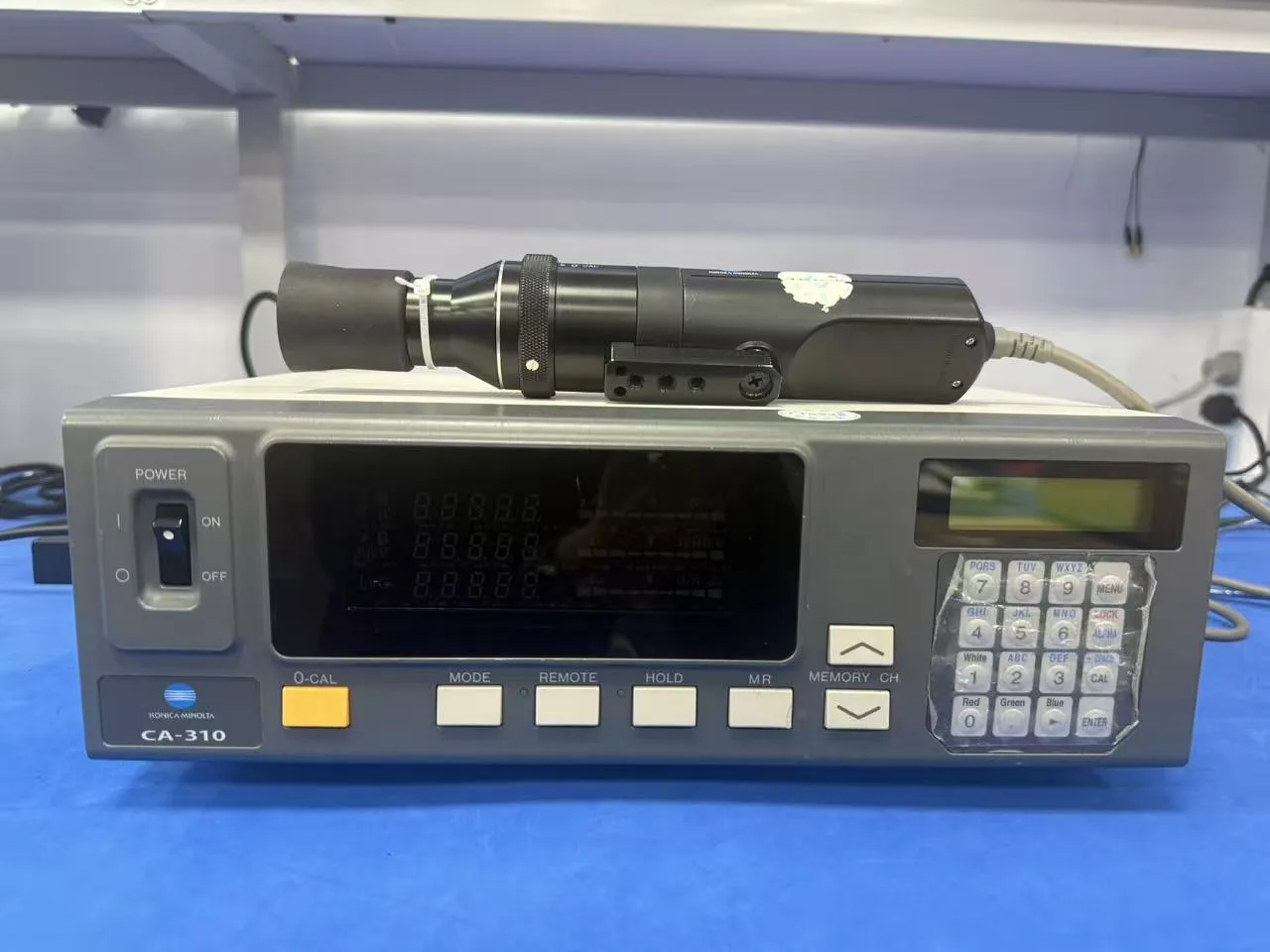
For a repeatable measurement, display a full-screen white test image, select the agreed picture mode and brightness setting, and allow the monitor’s output to stabilize. Follow the analyzer’s calibration procedure, then point the probe squarely at the center of the screen at the distance specified for that probe. Keep reflections from room lighting off the test area.
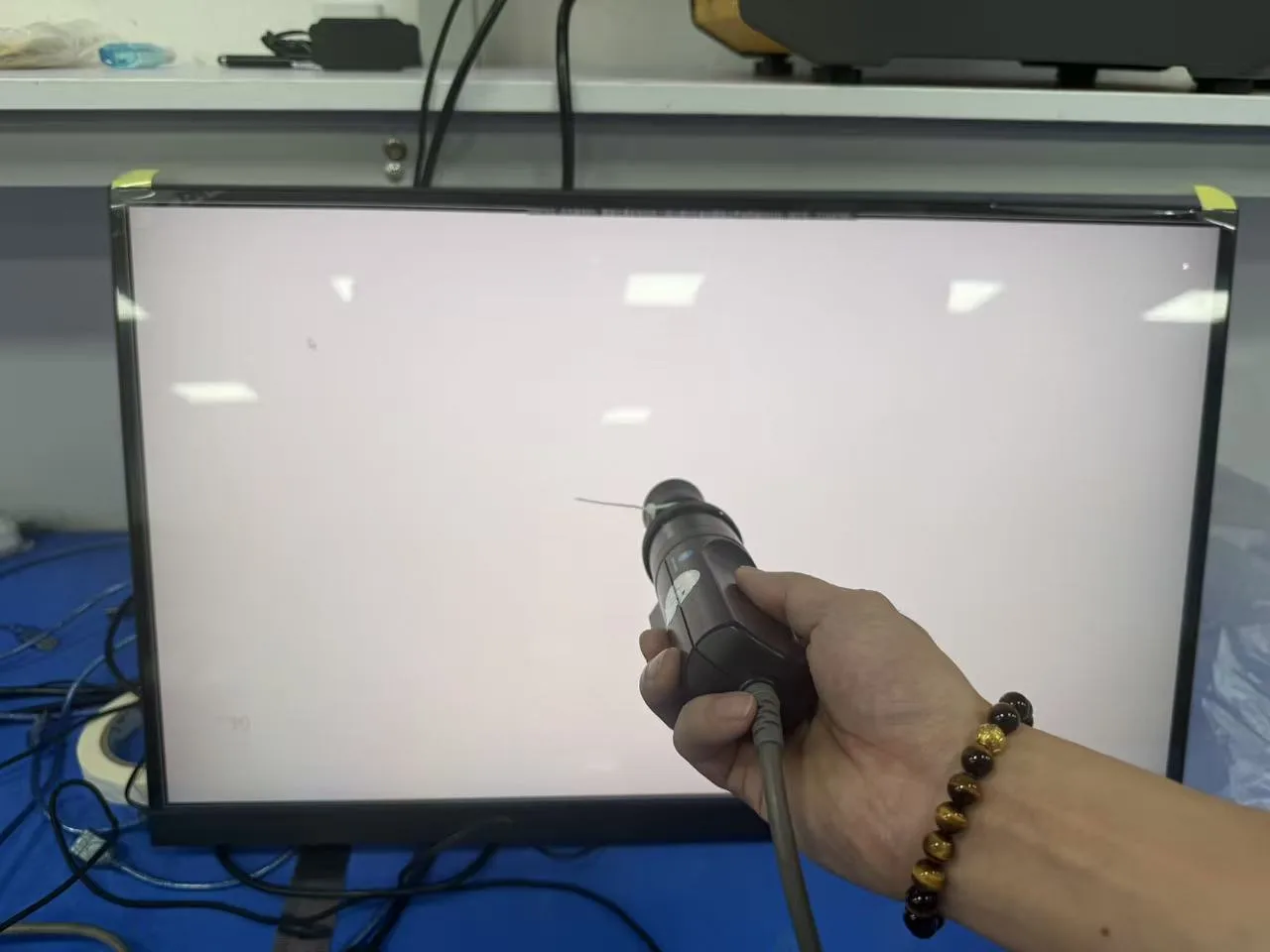
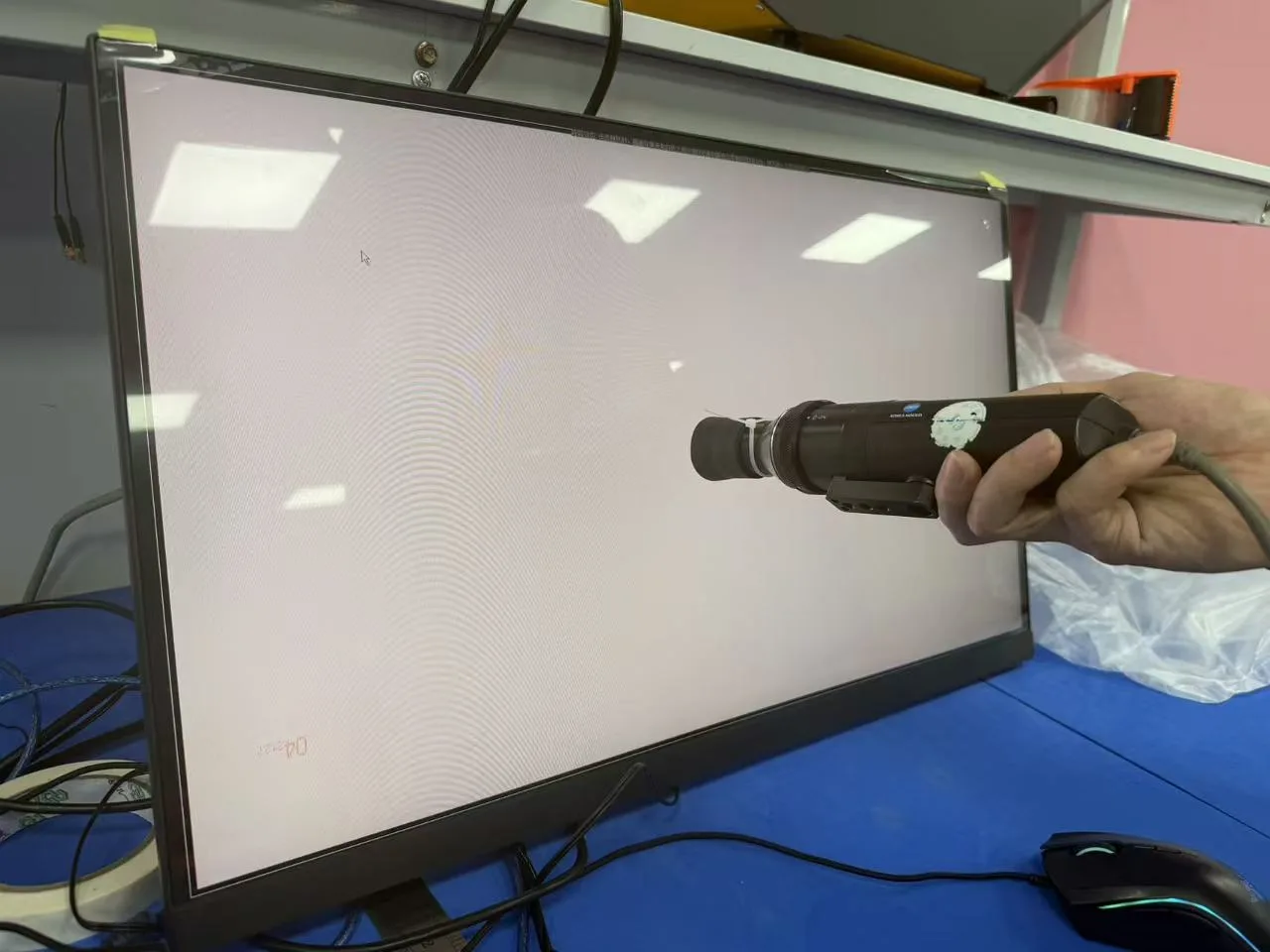
In the example below, the CA-310 shows a center luminance of approximately 253.9 cd/m², or 253.9 nits. Rounded to a practical specification, that is about 250 nits. The upper reading shows a correlated color temperature of approximately 7,150 K; color temperature describes the appearance of white and is separate from brightness.
What Should Buyers Confirm When Requesting a Quote?
If you request a 250-nit or 300-nit monitor, confirm that the quoted brightness refers to the center of the screen under specified test conditions. Readings near the edges can be lower than the center reading because screen luminance is not perfectly uniform. A center measurement alone does not describe the minimum brightness across the entire panel.
How to Check Brightness Uniformity With a 9-Point Test
For a practical 9-point uniformity check, measure the center plus eight evenly distributed positions across the screen using the same full-screen white image, picture mode, brightness setting, warm-up time, probe distance, and room-light control. Record all nine luminance readings instead of reporting only the center value.
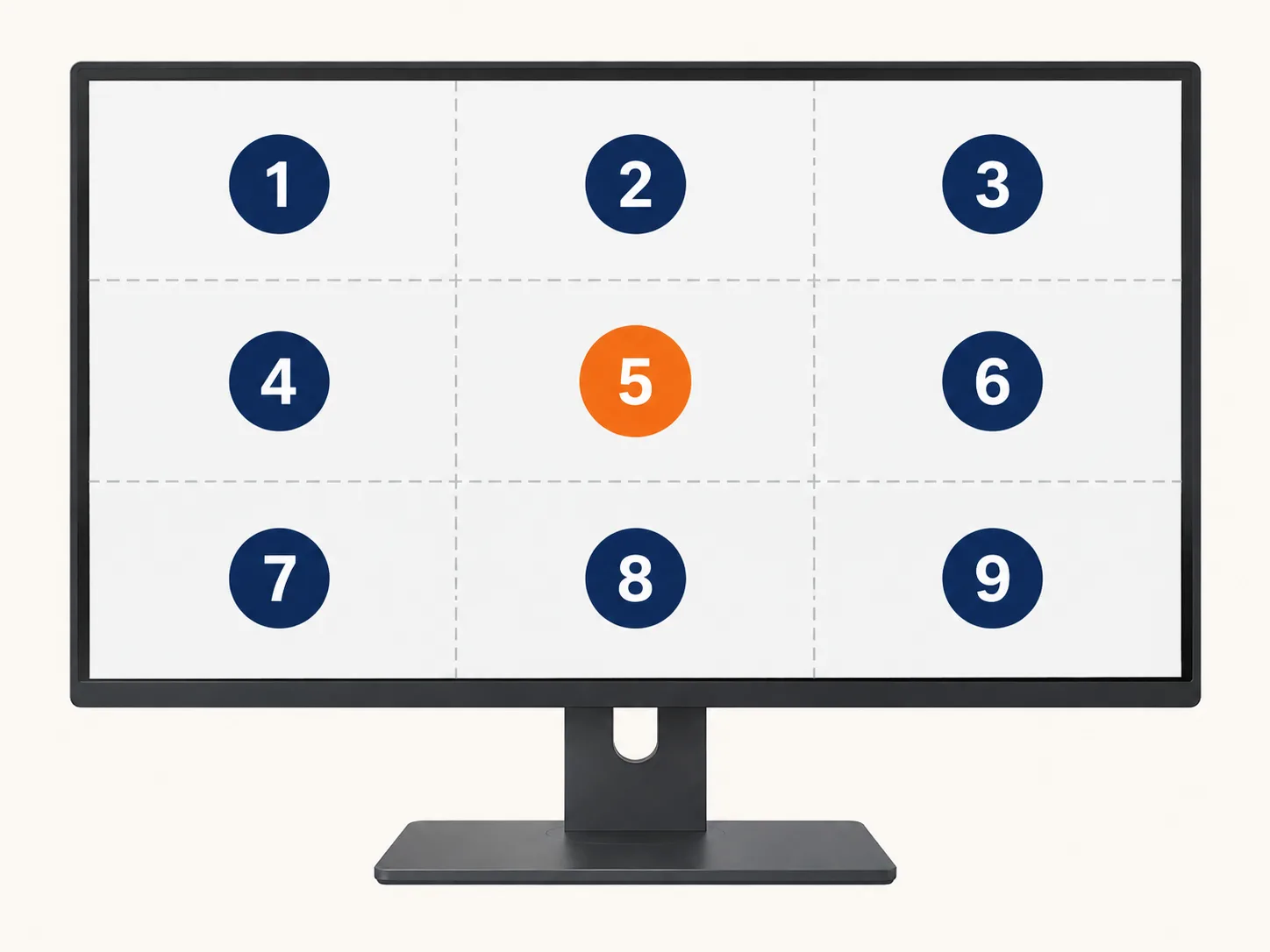
Most monitors can use their built-in buttons to display a center-point marker through the on-screen display (OSD) menu.
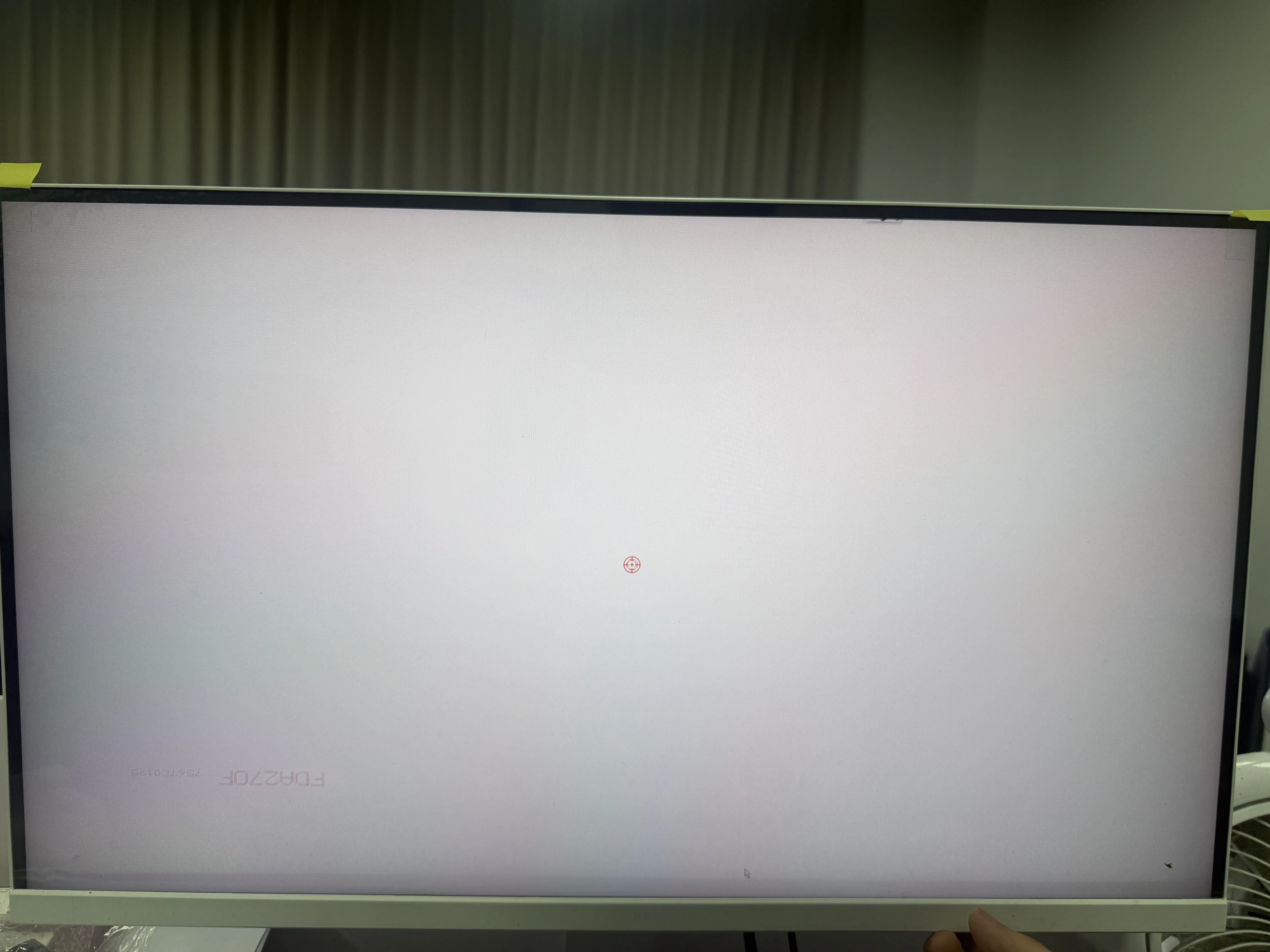
A simple uniformity percentage can be calculated as the lowest reading ÷ the highest reading × 100%. Also report the center and lowest readings, because customers and test standards may use different point positions or formulas. The quote should therefore state the 9-point layout, calculation method, and acceptance threshold.
For a useful comparison between suppliers, include these points in your inquiry:
- Measurement point: center brightness, or a separate multi-point uniformity requirement if edge brightness matters.
- Test image: a full-screen white image for the stated measurement.
- Display settings: picture mode, brightness setting, and whether the figure is for SDR or HDR operation.
- Acceptance criteria: whether the quoted number is a typical center result or a guaranteed minimum under the agreed conditions.
Distributors can also buy an entry-level display colorimeter for their own spot checks. These tools are relatively affordable compared with production-grade analyzers. Choose one that reports screen luminance in cd/m² (nits), then measure the center under the same settings used by the supplier. An ordinary lux meter measures light falling on a surface and cannot verify a monitor’s nit rating.
With the measurement conditions written into the quote, “250 nits” or “300 nits” becomes a specification you can verify rather than a number interpreted differently by each supplier.
FAQ
How can I check my monitor brightness in nits?
Display a full-screen white image, set the agreed picture mode and brightness level, allow the monitor to warm up, and place a calibrated display colorimeter or luminance meter perpendicular to the screen center. Read the result in cd/m²; one cd/m² equals one nit. For supplier comparisons, record the test settings, measurement point, room conditions, and whether the reading is typical or guaranteed.
Can I measure monitor brightness with software?
Software alone cannot measure physical screen luminance in nits because the computer receives no calibrated optical reading from the display surface. A web page or test program can show a white test pattern and improve repeatability, but a hardware display colorimeter, color analyzer, or luminance meter is still required. Built-in brightness percentages also cannot be converted reliably into nits across different panels.
Is 250 nits enough for a monitor?
About 250 nits is generally sufficient for office work, web browsing, and many indoor commercial applications where ambient light is controlled. Brighter rooms, shop displays, window-side use, and HDR-focused products may need 300 nits or more. Buyers should also consider anti-glare treatment and uniformity, because a 250-nit center reading does not guarantee the same brightness near the screen edges.
What is the difference between peak brightness and typical brightness?
Typical brightness describes the luminance a display can maintain under defined normal test conditions, while peak brightness is the highest output reached for a limited scene, window size, picture mode, or period. Peak values are especially common in HDR marketing and may not represent full-screen sustained output. A quote should specify whether the value is typical, minimum, or peak and include the measurement conditions.